MONSTER WARLORD
VPN BOOST GUIDE
Follow this guide to configure your VPN and optimize your Monster Warlord connection.
Download v2rayNG
First, download and install v2rayNG on your Android device.
If you download from GitHub, choose the arm64-v8a.apk file.
Copy Configuration
Copy the VLESS configuration below. You will need this configuration in v2rayNG.
Open v2rayNG, tap the + button in the top-right corner, then select Paste from Clipboard.
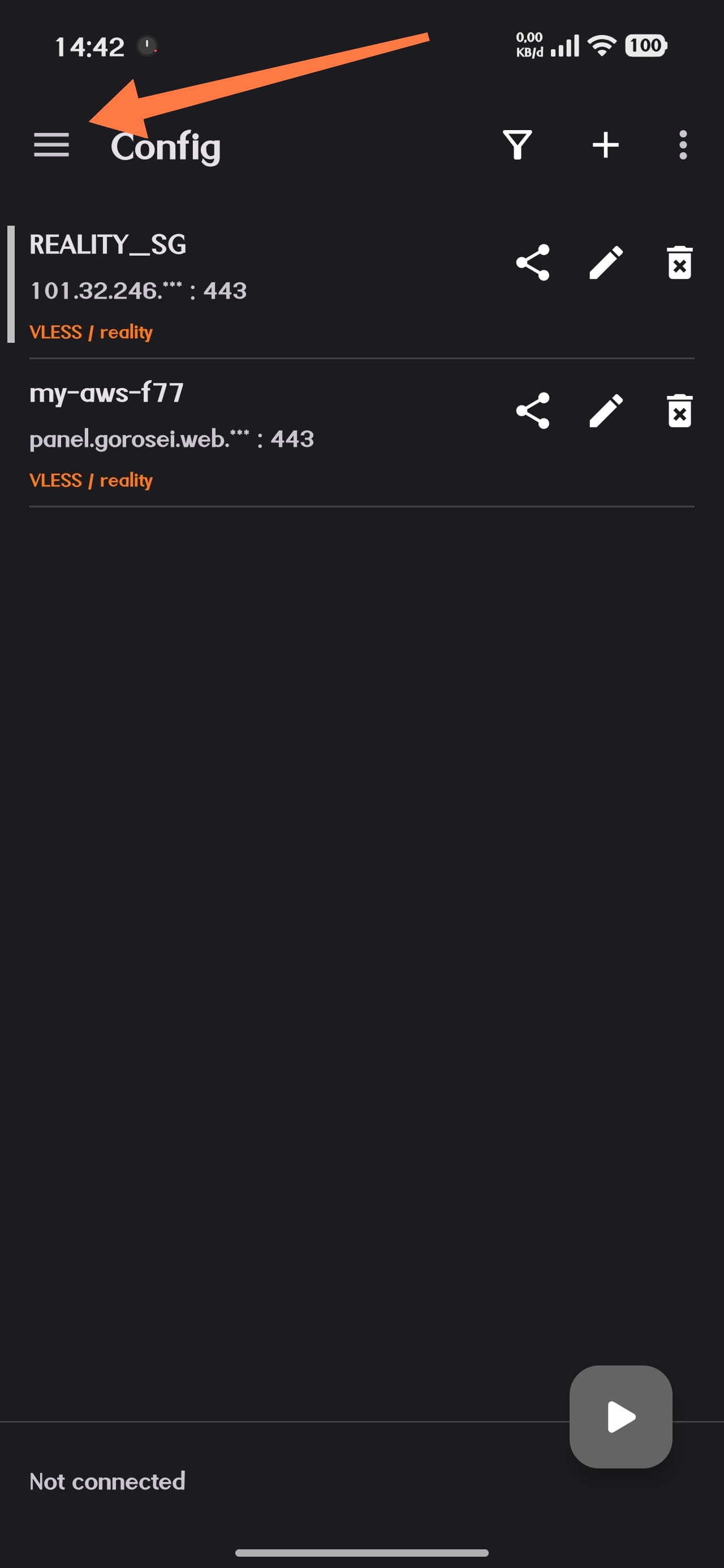
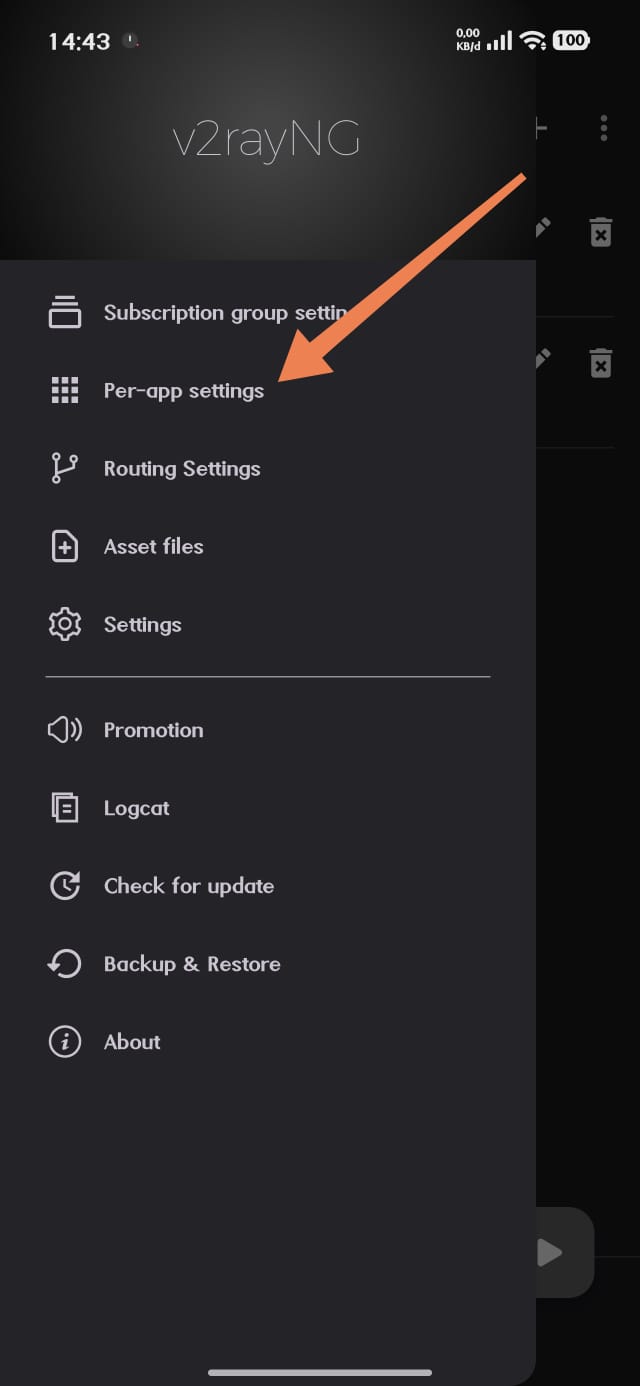
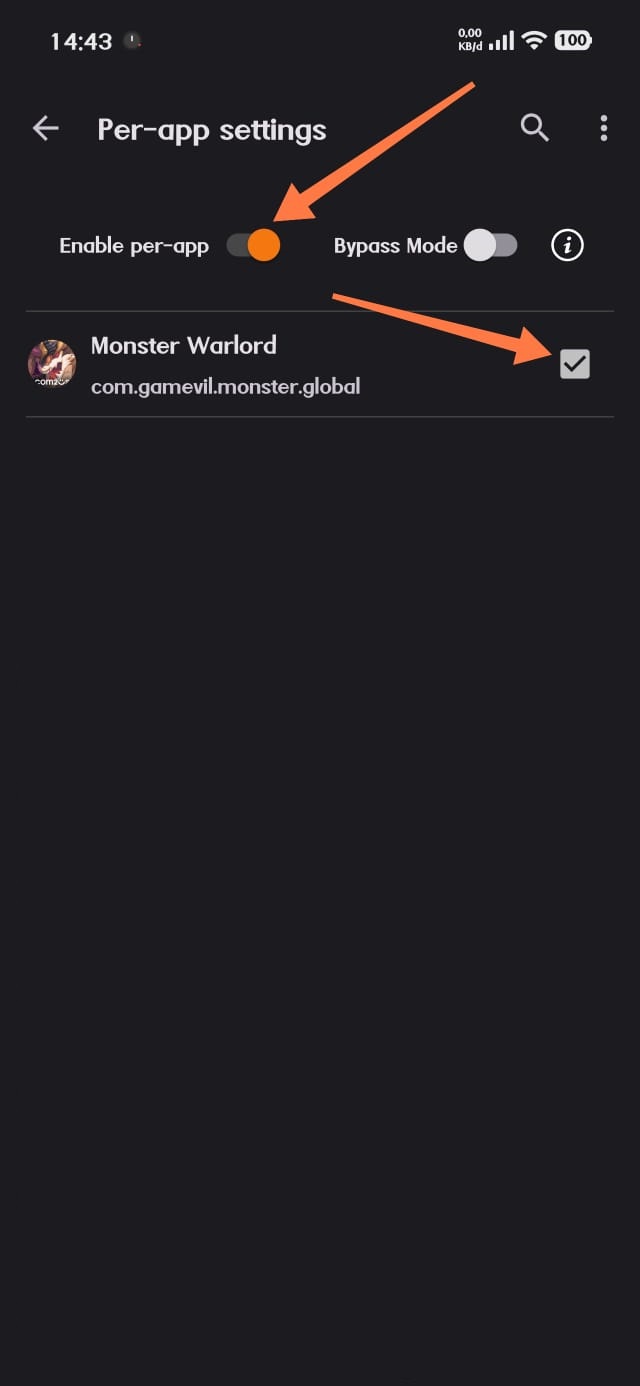
Per-App Setting
Configure v2rayNG so that the VPN is used only for Monster Warlord.
Connect VPN
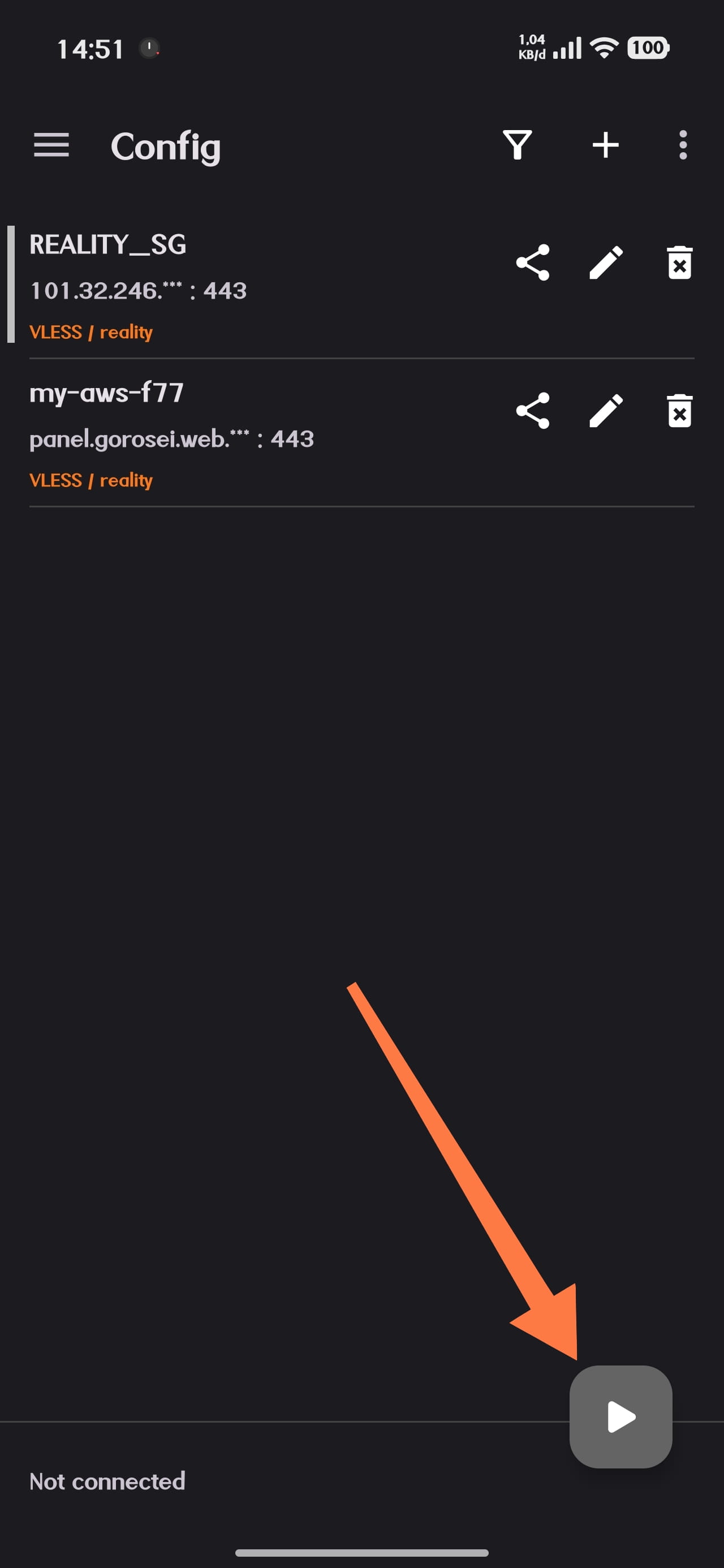
Return to the main v2rayNG screen and connect to your VPN configuration.
Make sure the VPN connection is active before opening Monster Warlord.
Start Monster Warlord
Once the VPN is connected, open Monster Warlord and play normally.